RepCount vs Setgraph (and where RepBro fits)
Clear, evidence-aware comparison of RepCount and Setgraph on plans, logging speed, progression, and pricing, plus where RepBro fits for AI plans and accountability.
Photo by RepBro.
RepCount and Setgraph are primarily logging-first apps that emphasize fast entry and tracking history; neither focuses on automatic AI-generated programs. If you want AI-personalized plans, conversational coaching and motivational hype features, an app that explicitly offers those capabilities may suit you better.
What are RepCount and Setgraph built to do?
Both apps are best described as workout logging and history tools. Users typically turn to them to record sets/reps/weights, review past performance, and view simple progression over time. They are aimed at minimizing friction when logging so you actually track consistently.
RepCount and Setgraph vary in design, layout, and platform focus, but the core user need they solve is the same: make logging fast and make progression visible.
What kinds of workout plans do they provide?
Most logging-focused apps provide templates, workout libraries, and the ability to build custom routines. Where they differ is whether they offer pre-written programming, automatic progression, or full AI personalization. Neither RepCount nor Setgraph is primarily advertised as an AI plan author; expect manual or template-based plan creation rather than dynamic, personalized plan generation.
If your priority is an app that writes an individualized program based on inputs like experience, available equipment, and goals, choose a product specifically marketing AI plan generation or coach-written programs.
How fast is logging in each app, and why does speed matter?
Speed matters because less friction increases adherence. Fast logging features include:
- Templates for repeated sessions
- One-tap set entry and quick weight adjustments
- Watch or wearable import
- Voice entry and offline capability
RepCount and Setgraph emphasize rapid entry; which feels fastest for you will depend on personal preferences (screen layout, shortcuts) and hardware (phone vs watch). If you need true offline-first logging or voice entry, check the app descriptions and user reviews for those exact features before committing.
How do they handle progression and programming principles?
Good app progression aligns with well-established training principles: progressive overload, adequate weekly volume, sensible frequency, and planned recovery (deloads). Logging apps usually show trends (weights, reps, estimated 1RMs) and may offer simple progression rules (add weight or reps when you hit targets).
A logging app that does not auto-generate progression still helps you implement sound programming because you can track volume, intensity, and frequency. If you want the app to suggest weekly increases or automatically adjust loads, confirm the product explicitly provides that functionality.
What are the common price models for logging apps?
Workout-tracking apps commonly use a freemium model: a free tier with basic logging and a paid subscription for advanced features (history export, analytics, custom plan builder, or cloud sync). Some charge a one-time fee. Pricing changes often; always check the App Store or the vendor website for current plans before assuming a particular cost.
Comparison table: features that matter to lifters
| Feature | RepCount | Setgraph | Notes for choosing |
|---|---|---|---|
| Primary focus | Logging-first (fast entry/history) | Logging-first (fast entry/history) | Both emphasize quick logging; UI preference matters |
| Plan generation | Template/manual plans | Template/manual plans | Neither is primarily known as AI plan authoring |
| Progression tools | Trend graphs, simple progression | Trend graphs, simple progression | Good for tracking, may not auto-adjust programming |
| Watch / wearable import | Varies by app/version | Varies by app/version | Confirm Apple Watch or other wearable support if needed |
| Offline & voice logging | Depends on app | Depends on app | If offline-first or voice is essential, verify support |
| Pricing model | Commonly freemium/subscription or one-time | Commonly freemium/subscription or one-time | Check current App Store listing for prices |
Where does RepBro fit if I want AI plans plus accountability?
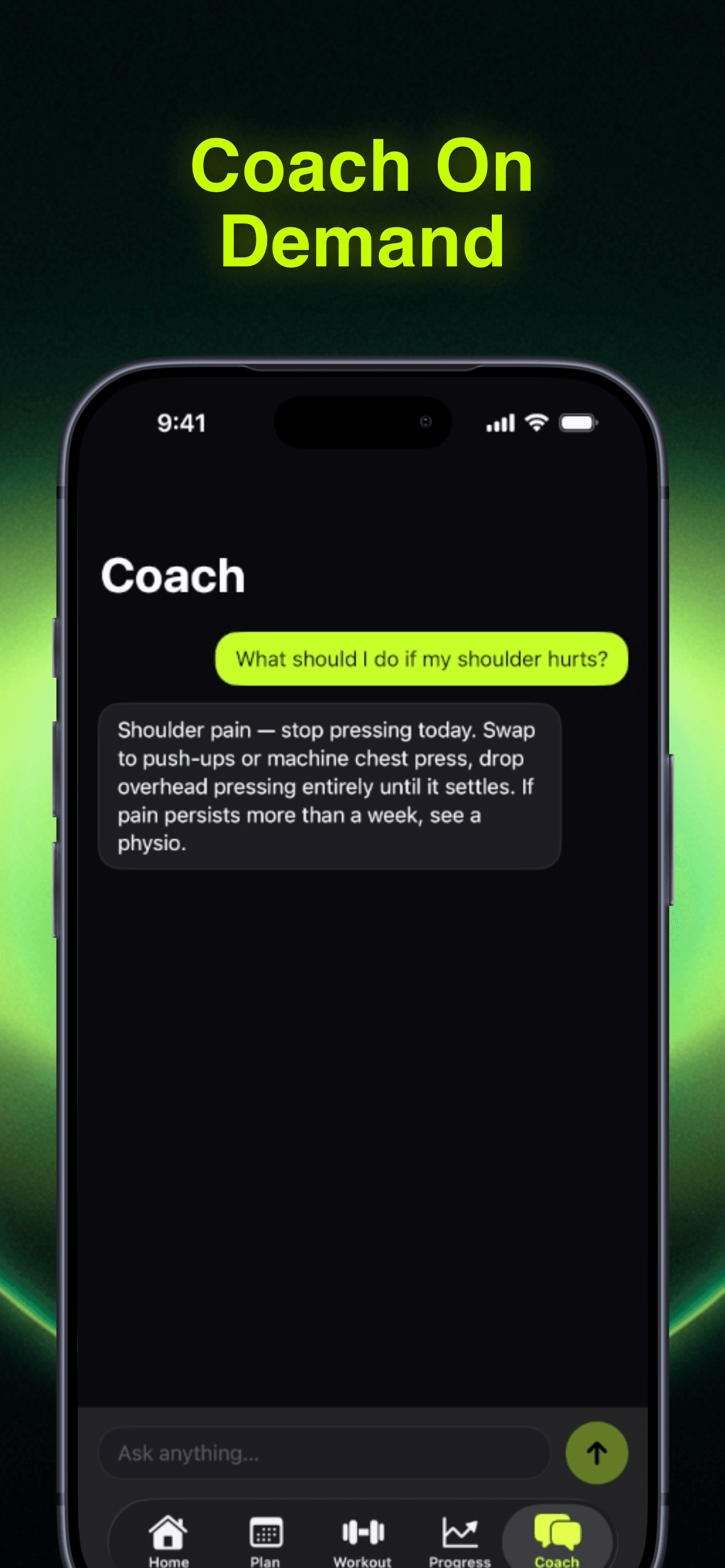
If you want AI-generated, editable workout plans combined with conversational coaching and motivational elements, consider apps that explicitly offer AI plan generation, coach chat, and accountability features. RepBro offers AI-generated personalized workout plans (which you can edit or build with a custom plan builder), an AI coach chat, motivational "hype calls" from coach personas, strength and cardio logging with Apple Watch import, offline-first logging, voice logging, ChatGPT plan import (repbro.app/import), and an AI "Future Me" transformation preview. RepBro is iOS-only today; subscription access typically includes a free trial—check the App Store listing for current details (https://apps.apple.com/us/app/gym-workout-coach-repbro/id6763749305).
If you prefer purely minimal logging with no AI planning, stick with a logging-first app. If you want coaching-style prompts, personalization, and accountability nudges, an AI-plan + coach-chat app can reduce the planning burden and help maintain motivation.
What limitations should I be aware of?
- No app can see or correct your movement quality remotely; video coaching with a qualified professional is necessary for form corrections.
- Apps cannot diagnose medical conditions or replace treatment from a qualified healthcare professional.
- A plan only works if you follow it: adherence, sleep, nutrition, and recovery determine results more than small differences between apps.
- AI plans depend on the quality of input data; poorly described goals or inaccurate history lead to less useful plans.
Safety note Stop immediately if you feel sharp or unusual pain. For persistent pain, recent injuries, or medical concerns, consult a qualified healthcare or rehabilitation professional before continuing an exercise program. This article does not diagnose injuries or promise injury prevention.
Final practical advice: which should you try?
If your priority is pure, minimal friction logging and you already have a coach or program, choose a logging-first app that matches your device ecosystem and input preferences. If you want integrated AI plans, plan editing, conversational coaching, and motivational features in one iOS app, consider an app that lists those capabilities explicitly and offers a free trial so you can test if the workflow keeps you consistent.
Consistency, progressive overload, and sensible recovery are what drive strength and body-composition changes — app choice should support those behaviors, not replace them.
Frequently asked questions
- Which app is faster for logging workouts?
- Both RepCount and Setgraph prioritize quick workout entry, but implementation differs by interface. Expect both to be faster than fully manual spreadsheets; ultimate speed depends on how well the app’s templates and shortcuts match your routine and whether you use watches or voice input.
- Do RepCount or Setgraph write workout plans for me?
- Neither app is widely known as a full AI plan generator. They focus on tracking and templates. If you want automatically generated, editable AI plans plus conversational coaching and motivational features, look at apps that explicitly advertise AI plan-authoring and coach chat.
- How should I choose between logging apps?
- Pick the app that fits your workflow: how you like to enter sets (touch, voice, watch), whether you want plan generation, how much history and analytics you need, and the subscription model. Consistency and progressive overload are more important than small interface differences.