Free vs Paid Workout Apps: What You Actually Lose by Not Paying
Free workout apps limit personalization, progression tracking, and advanced features. Paid apps offer custom programming, detailed analytics, and AI coaching that actually improve results.
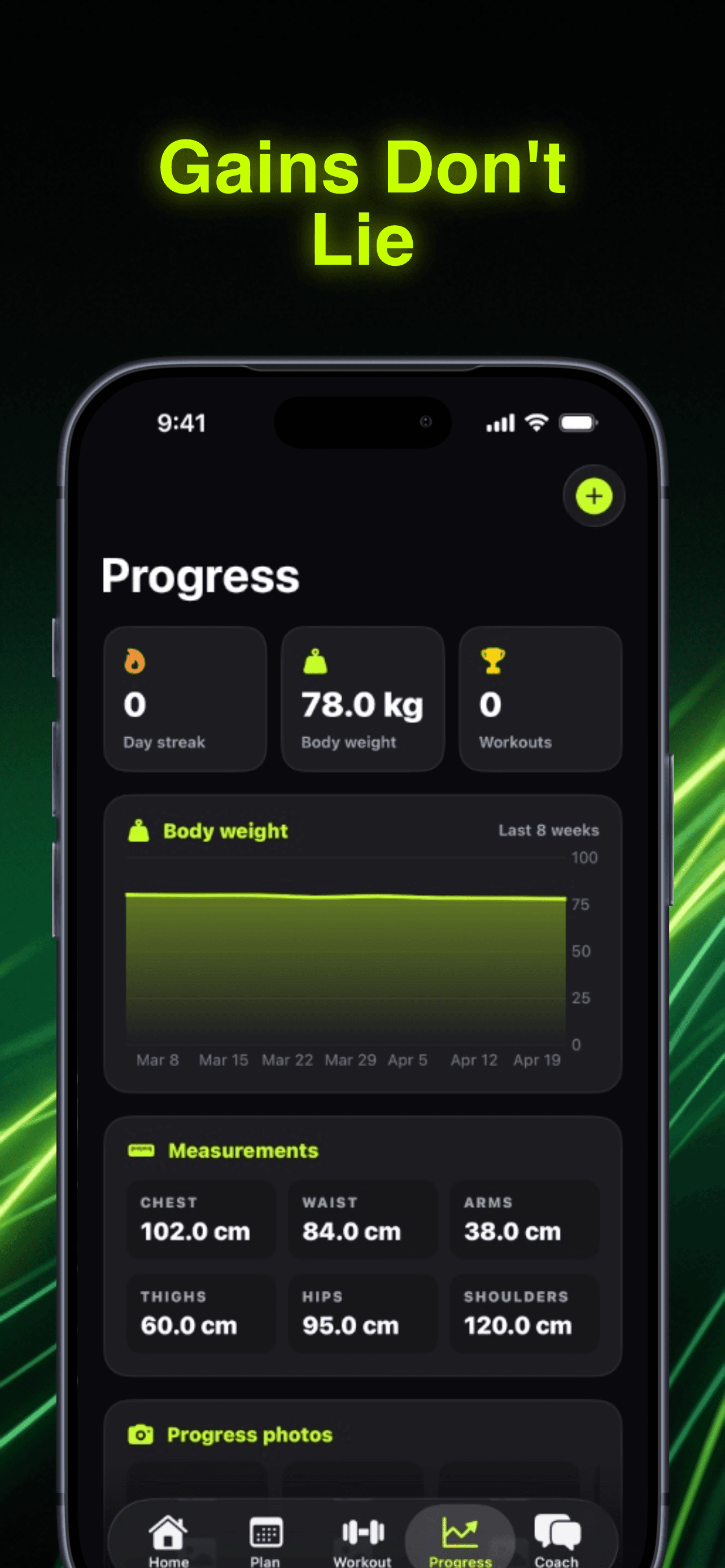
Photo by RepBro.
You downloaded a free workout app six months ago. You're still doing the same three workouts on repeat. Your progress stalled after week two. Sound familiar?
The difference between free vs paid workout apps isn't just about removing ads. Free apps typically offer generic templates and basic logging, while paid apps provide personalized programming, advanced progression tracking, and adaptive coaching that actually drives results. Most free tiers cap you at 3-5 preset workouts with no customization for your goals, equipment, or experience level.
Here's what you're really giving up when you stick with free.
Generic Programming vs Personalized Plans
Free workout apps serve you the same routine as everyone else. Nike Training Club gives you preset bodyweight circuits. Adidas Training offers fixed programs with no customization. FitBod's free tier limits you to three workouts before repeating.
Paid apps build your program around your specific situation. They ask about your equipment, training days, injury history, and goals. Then they generate a split that actually fits your life.
I tested this with a client who switched from a free app to a paid one. The free app had him doing full-body workouts three times per week regardless of his goal to build his chest and shoulders. The paid app created an upper/lower split with extra volume on his priority muscles. His bench press jumped 25 pounds in eight weeks.
The difference? Personalization drives specificity, and specificity drives results.
Progress Tracking: Spreadsheets vs Analytics
Free apps track your workouts. Paid apps track your progress.
Most free fitness apps log what you did but don't show you where you're going. You can see last week's bench press, but not your strength trend over three months. You know you did squats, but not whether your volume is progressing optimally.
What Free Apps Track:
- Basic workout logging (sets, reps, weight)
- Simple exercise library
- Workout history (usually limited)
- Basic timers
What Paid Apps Track:
- Progressive overload trends
- Volume progression by muscle group
- Strength curves and PR predictions
- Recovery metrics and readiness scores
- Body composition changes
- Detailed workout analytics
The analytics matter because they reveal patterns you can't see day-to-day. Your squat might feel stuck, but the data shows you've added 15% more volume over six weeks. That's progress, even if your 1RM hasn't moved yet.
AI Coaching vs Static Templates
This is where the gap becomes a chasm.
Free apps give you pre-written workouts with maybe some exercise descriptions. Stuck on form? Check YouTube. Need to swap an exercise? Pick from a generic list. Want to know if you should deload? Figure it out yourself.
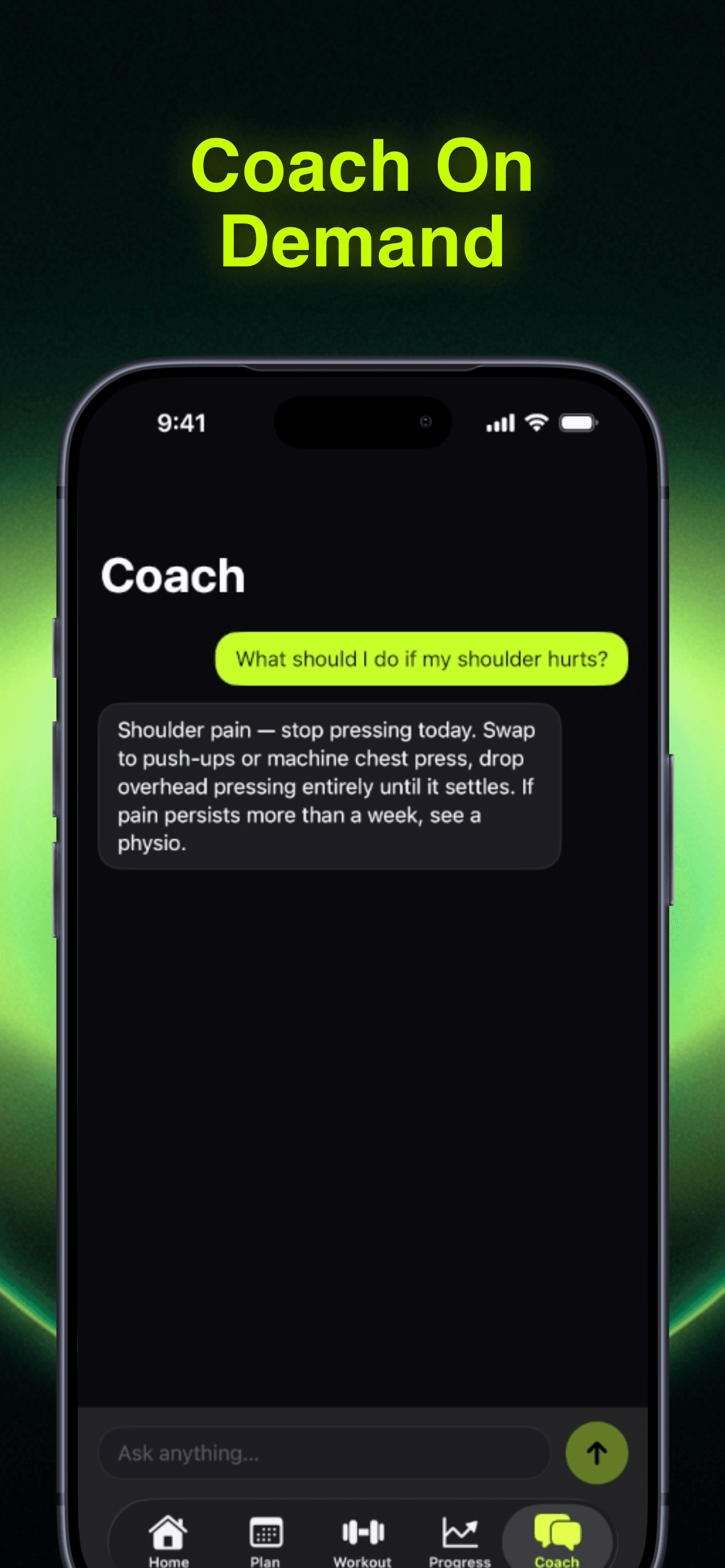
Paid apps with AI coaching understand your entire training context. They know your PRs, your recent volume, your equipment limitations, and your injury history. When you ask "Should I replace barbell rows with cable rows?" they give you an answer that considers your specific program and goals.
The AI coach becomes your training partner who never forgets your numbers and always has context for your questions.
Exercise Libraries: Basics vs Comprehensive
Free apps typically offer 50-200 exercises with basic descriptions. Paid apps provide 1,000+ exercises with detailed form cues, muscle activation patterns, and equipment variations.
More importantly, paid apps let you swap exercises intelligently. If your gym doesn't have a leg press, the AI suggests hack squats or Bulgarian split squats while maintaining the same muscle targets and rep ranges. Free apps make you guess.
Progression Algorithms: Linear vs Adaptive
Free workout apps use simple progression schemes. Add five pounds every week. Increase reps when you hit the target. Do the same program for 12 weeks regardless of how you're responding.
Paid apps use adaptive algorithms that adjust based on your performance. Miss your target reps two sessions in a row? The app might suggest a deload or exercise variation. Crushing your targets? It might accelerate your progression or add volume.
This responsiveness prevents plateaus and reduces injury risk because the program evolves with your capabilities.
The Real Cost Analysis
Let's talk numbers. Most quality paid workout apps cost $10-15 per month. That's less than two protein shakes or one personal training session.
Compare that to the hidden costs of free apps:
- Wasted gym time from ineffective programming
- Slower progress from generic routines
- Potential injuries from poor exercise selection
- Plateaus from lack of progression structure
A client recently told me his free app had him doing the same chest and triceps routine for four months. His bench press didn't move. Two weeks after switching to a paid app with periodized programming, he added 10 pounds to his bench.
The paid app didn't just cost him $12. It saved him months of spinning his wheels.
When Free Apps Make Sense
Free workout apps work for specific situations:
- Complete beginners who need to build the habit before optimizing the program
- Bodyweight-only training where equipment limitations reduce complexity
- Casual exercisers who work out 1-2 times per week with no specific goals
- Trying before buying to test an app's interface and exercise library
But if you're serious about results and train consistently, the limitations become obvious within weeks.
Making the Switch: What to Look For
Not all paid workout apps justify their cost. Here's what separates the good from the overpriced:
Essential paid features:
- True program personalization based on your goals and equipment
- Progressive overload tracking with volume and intensity metrics
- Exercise swapping that maintains program integrity
- Responsive progression algorithms
- Comprehensive exercise library with form guidance
Nice-to-have features:
- AI coaching for real-time questions
- Body composition tracking
- Integration with wearables
- Social features and challenges
Red flags:
- Apps that paywall basic logging features
- Subscriptions over $20/month without AI coaching
- Programs that don't adapt to your performance
- Limited exercise libraries even in paid tiers
The best paid apps feel like having a knowledgeable training partner who remembers everything and never gets tired of your questions.
Your next workout is an opportunity to train smarter, not just harder. The right app makes that possible by turning data into decisions and questions into answers."
Frequently asked questions
- Are paid workout apps worth the monthly subscription cost?
- Yes, if you train consistently and want specific results. Paid apps typically cost $10-15/month but provide personalized programming, progress tracking, and adaptive coaching that can accelerate your results significantly compared to generic free programs.
- What features do free workout apps typically limit?
- Free apps usually limit personalization, advanced progress tracking, exercise variety, and coaching features. Most cap you at 3-5 preset workouts with basic logging and no customization for your specific goals or equipment.
- How do paid apps personalize workouts better than free ones?
- Paid apps create programs based on your specific goals, available equipment, training frequency, experience level, and injury history. They use algorithms to generate custom splits and adjust programming based on your performance, rather than giving everyone the same routine.
- Do free workout apps provide enough features for beginners?
- Free apps can work for complete beginners who are just building the exercise habit. However, even beginners benefit from proper progression and form guidance that paid apps typically provide better.
- What's the most important feature that separates free from paid workout apps?
- Progressive overload tracking and adaptive programming. Paid apps monitor your strength and volume trends over time and adjust your program accordingly, while free apps typically use static routines that don't evolve with your capabilities.