Zing Alternatives: What to Try and Why
Compare 5 Zing alternatives for strength lifters, with use-case recommendations and a clear comparison of plan generation, logging, watch support, offline use, and platforms.
Photo by RepBro.
If you're outgrowing Zing, choose based on what you want next: algorithmic, equipment-aware programming (Fitbod); simple, no-nonsense progressive templates (StrongLifts-style apps); deep logging and exercise databases (JEFIT); clean, watch-forward logging (Strong); or editable AI-personalized plans plus coach chat and Apple Watch import (RepBro).
What are the strongest alternative apps to Zing and why might I pick each?
Below are five alternatives with concise use-case recommendations. I describe real strengths without inventing features.
-
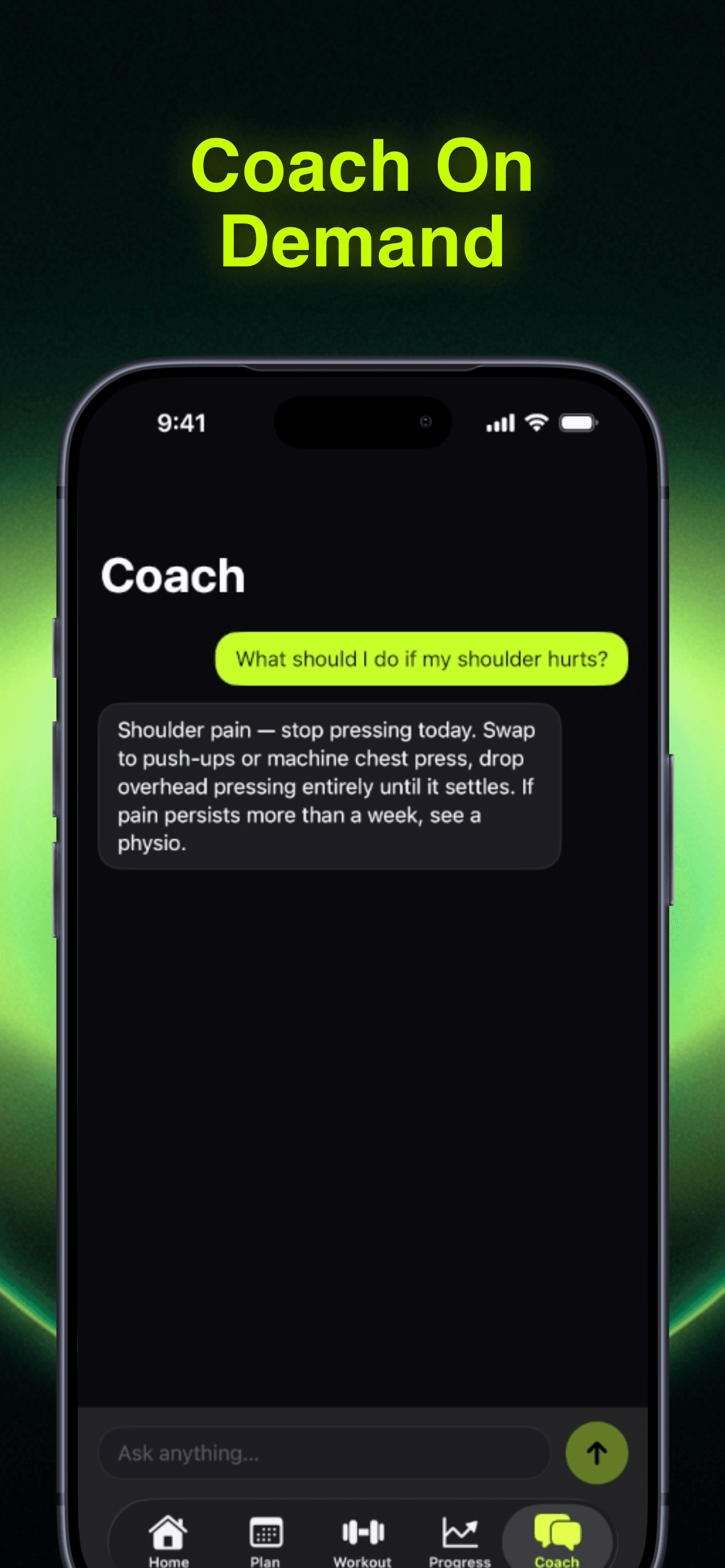
RepBro (iOS): Use-case — you want AI-generated personalized plans that you can edit, plus conversational coaching. RepBro offers AI plan generation, an AI coach chat, motivational "hype calls" from coach personas, voice logging, offline-first logging, Apple Watch import for strength + cardio, and a ChatGPT plan import tool. It also has an AI "Future Me" transformation preview. iOS only today; subscription with a free trial.
-
Fitbod: Use-case — you frequently change equipment or want algorithmic session-level programming tailored to available gear and past sessions. Fitbod is known for generating workouts based on your equipment and recent training, adapting exercises and volume session-to-session.
-
Strong (by Strong Fitness): Use-case — you prioritize clean, fast logging with robust Apple Watch support. Strong has polished logging workflows, clear progression tracking, and is oriented toward lifters who value tracking and analytics.
-
StrongLifts-style apps: Use-case — you prefer a minimal, proven linear progression program (5x5). These apps simplify decisions: set, rep, and loading rules are pre-decided so you can focus on consistent gym performance rather than program tweaks.
-
JEFIT: Use-case — you want a large exercise library and community-driven templates. JEFIT includes many preset programs and a broad database useful for plan-building and variety.
How do these apps really differ on plan generation, logging, and platform support?
| App | Primary focus | Plan generation | Strength logging | Apple Watch / Wearables | Offline use | Platform |
|---|---|---|---|---|---|---|
| RepBro | AI-personalized plans + coaching | AI-generated editable plans, ChatGPT import | Strength + cardio logging, voice logging | Apple Watch import supported | Offline-first logging | iOS only |
| Fitbod | Algorithmic session generation | Algorithmic, equipment-aware sessions | In-app logging, auto-adjusts future sessions | Varies by device | Limited offline capabilities | iOS, Android |
| Strong | Clean logging & analytics | Mostly user-built programs or templates | Fast, polished logging; strong analytics | Apple Watch app/support | Offline logging for workouts | iOS, Android |
| StrongLifts-style | Fixed progressive template | Fixed linear progression (5x5) | Simple focused logging | Varies by app | Usually works offline | iOS, Android |
| JEFIT | Exercise library & templates | Templates and community programs | Comprehensive logging and history | Varies by device | Limited offline features | iOS, Android |
Note: watch/wearable and offline details vary by version; check vendor pages for the latest device compatibility.
Which app should I choose based on my training goal and experience?
-
If you want adaptive AI plans you can tweak: RepBro. Its AI plan generation plus editable plan builder and coach chat lets you fine-tune programming while keeping automated progression logic.
-
If you change equipment often (home gym, hotel gyms) and want workouts that fit what’s available: Fitbod. It adapts exercise selection to available gear and recent fatigue.
-
If you care most about fast, reliable logging and watch integration: Strong. The streamlined interface reduces friction between sets and tracking.
-
If you’re a beginner who benefits from strict structure and simple weekly progression: a StrongLifts-style app. The template minimizes choices and enforces steady overload.
-
If you want lots of program templates and an exercise database to browse: JEFIT. Good for variety or when you want access to many community routines.
How should training frequency, volume, and progression influence app choice?
Scientific consensus supports progressive overload and regularly increasing training stimulus. Most lifters benefit from hitting muscle groups roughly 2–3 times per week and tracking weekly volume (sets x reps x load) to manage progress. Choose an app that makes it simple to: 1) set a clear progression rule, 2) record volume, and 3) view trend lines. Apps that hide volume or fragment session history make long-term planning harder.
What about importing plans or working with AI-generated templates?
If you already use ChatGPT or export plans from another tool, RepBro offers a ChatGPT plan import pathway. For any AI-generated plan, check that frequency, total weekly sets per muscle, and progression rules are explicit—don’t accept vague daily workouts without a plan for weekly or monthly progression.
What safety and training limitations should I be aware of?
Safety note: Stop a set if you feel sharp or unusual pain. Apps cannot visually assess form or diagnose injuries. Consult a qualified coach or medical professional for technique feedback or rehabilitation.
What can apps and AI coaching not do? (Limitations)
- Apps cannot replace direct, eyes-on coaching for technical lifts; they can’t see bar path or joint angles.
- No app can diagnose injuries or create medically supervised rehab plans; that requires a healthcare professional.
- A plan only works if you execute it consistently; consistency and recovery choices (sleep, nutrition) matter more than app selection.
- AI can suggest progressions, but it may miss individual recovery issues; monitor your response and adjust.
Final practical advice for switching from Zing
Decide what you’re outgrowing about Zing: if it’s lack of personalization, try an app with AI plan generation and editable plans; if it’s logging or watch support, prioritize apps known for strong logging workflows and Apple Watch integration; if it’s too many choices, pick a template-driven app. If you want to explore an AI-first path with editable plans and coach chat, consider RepBro (https://apps.apple.com/us/app/gym-workout-coach-repbro/id6763749305).
Safety reminder: none of these apps can see your form or guarantee injury prevention. Use them for structure and tracking, and seek in-person coaching for technical lifts or rehab needs.
Frequently asked questions
- If I'm moving on from Zing, which app gives the smoothest transition to AI-generated plans?
- RepBro provides AI-generated personalized plans that are editable, plus a plan-import tool for ChatGPT outputs. Its strengths are plan customization and chat-based coaching; it's iOS-only today but supports Apple Watch import and offline-first logging to ease a transition from another app.
- Which alternative should I pick if I want a simple progressive strength template (5x5-style)?
- If you want a focused linear progression template with minimal setup, an app built around a fixed 5x5 program—often called StrongLifts-style—keeps things simple. These apps automate loading and tracking for the classic beginner progression and are easiest if you want fewer choices and steady increases.
- Can an app replace a human coach for programming and form feedback?
- Apps can generate sensible progressive plans, track volume and show trends, but they cannot visually assess your technique or diagnose injuries. Use apps for structure and logging, and consult a qualified coach or clinician for form correction, program medicalization, or injury rehab.