Setgraph Alternatives: What to Try and Why
Compare 4–5 solid alternatives to Setgraph based on use case: AI plans, simple logging, coach delivery, program libraries, and offline-first options for lifters evaluating their app.
Photo by RepBro.
If you're outgrowing Setgraph, choose an alternative based on the feature you need next — AI plan generation, simple logging and charts, coach-managed programs, or a community program library. Below are 4–5 alternatives, what they do well, and which one fits common lifter use cases.
Which app should I use for automated, personalized plans?
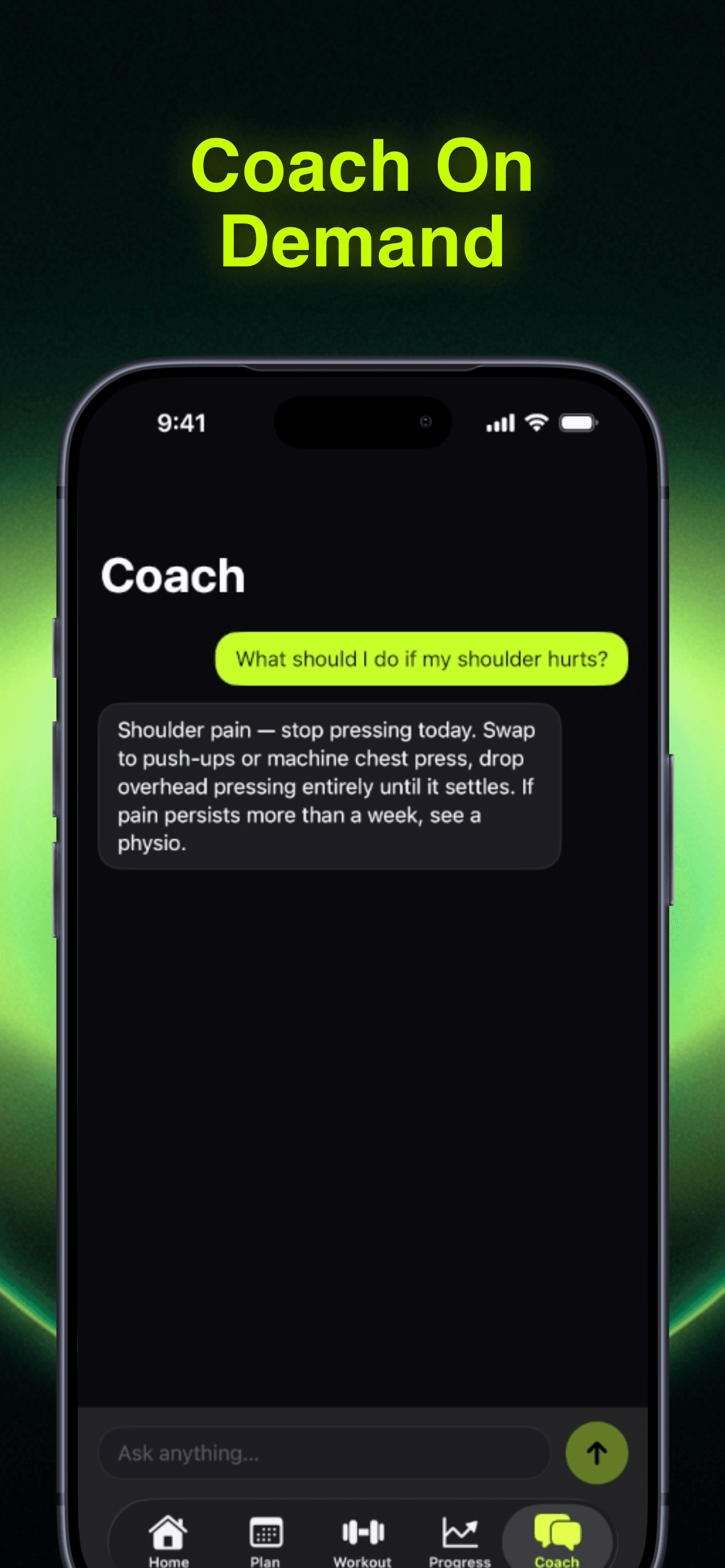
If you want AI-written plans that adapt to your progress and allow editing, try an app that prioritizes plan generation and on-device plan editing. RepBro offers AI-generated personalized workout plans, an editable custom plan builder, an AI coach chat and motivational "hype calls" from coach personas, and features designed for iOS users such as Apple Watch import, offline-first logging, voice logging, ChatGPT plan import (repbro.app/import), and an AI "Future Me" preview. That combination suits lifters who want automated structure plus easy editing and chat-based guidance.
Use-case recommendation: Choose this if you want to hand off day-to-day program decisions to AI but still tweak sets, swap exercises, or ask a chat interface for rationale.
Which app should I use for fast, distraction-free logging and PR tracking?
If your priority is logging speed, accurate volume/PR charts, and a minimal interface, consider a dedicated lifting log app. Strong-style trackers focus on concise entry of sets, reps, weights, and rest, with clear progression history and exportable logs. They’re best when you want to maximize time lifting and minimize setup.
Use-case recommendation: Pick a simple logger if you already follow a program (Google Sheet, coach, or paper) and need an efficient way to track progress and compute weekly set volume.
Which app should I use if I want a large program library and community templates?
Apps with extensive program databases and user-shared templates (Jefit-like) help when you want pre-made programs: hypertrophy splits, powerlifting cycles, or bodybuilding templates. These platforms often include structured templates, exercise GIFs, and user ratings for programs.
Use-case recommendation: Good for lifters who like trying curated programs or following community-tested templates without building plans from scratch.
Which app should I use if I want AI that adapts to equipment and fatigue?
Fitbod-style apps generate workouts that account for your available equipment, recent training history, and estimated fatigue, producing daily sessions that alter exercise selection and loads. They’re convenient when you need daily variety and want the app to manage micro-level adjustments.
Use-case recommendation: Choose this if you train in varied settings (home, gym, travel) and want the app to repurpose training stimuli based on what’s available.
Which app should I use if I work with a remote coach or manage clients?
If coach-client delivery and program management are the priority, Trainerize-like platforms are designed for coaches to send workouts, collect session data, and communicate. They are built for someone who wants structured communication, billing, and program delivery rather than a purely automated AI plan.
Use-case recommendation: Use this when you’ve hired a coach or run coaching and need client management, appointment handling, and shared workout delivery.
Quick comparison table (what matters to most lifters)
| App type / Example | Strengths | Weaknesses | Best for |
|---|---|---|---|
| AI plan + chat (RepBro) | AI-generated editable plans; AI coach chat; watch import; offline-first; voice logging; ChatGPT plan import | iOS only today; subscription model | Lifters who want AI plans they can edit and chat with, and who use Apple Watch |
| Fitbod-style | Daily-adaptive workouts; equipment-aware; good for variety | Less manual program editing; depends on input quality | Lifters who travel or change equipment and want daily adaptive workouts |
| Strong-style logger | Fast logging; clean PR/volume tracking; minimal friction | Not focused on automated planning; few AI features | Lifters who follow external programs and need fast tracking |
| Jefit-style program library | Large program database; community templates; structured programs | Can be overwhelming; program quality varies | Lifters who want curated program options and program browsing |
| Trainerize-style | Coach-client features; program delivery and messaging | Geared for coaches; not focused on consumer AI automation | Coaches or clients needing coordinated program delivery |
Note: column entries describe typical strengths/weaknesses for the app types; evaluate specific apps for details like platform availability and import/export options.
How should training frequency, volume, and progression affect my app choice?
Sports-science consensus supports progressive overload, regular monitoring of training volume (sets per muscle group per week), and training frequency of multiple sessions per muscle per week for many lifters. Pick an app that makes it easy to track weekly sets, adjust load, and schedule sessions. If you plan planned mesocycles and deloads, choose an app that supports custom plans or manual cycle editing rather than one that only delivers single-day workouts.
What each alternative is best at — short, practical guidance
- RepBro (link below): Best if you want AI plan generation plus editable plans, AI chat, and offline-first logging with Apple Watch support. Good for iOS users who want a single app for planning, logging, and motivational nudges. RepBro
- Fitbod-style: Best for equipment-aware daily adaptation and variety.
- Strong-style logger: Best for fast, distraction-free logging and clear progress metrics.
- Jefit-style: Best for browsing and trying community programs.
- Trainerize-style: Best for coach-client program delivery and communication.
Safety note: Stop if you feel sharp or unusual pain. Apps cannot diagnose injuries — consult a qualified medical or rehabilitation professional for persistent pain or a recent injury. No app can guarantee injury prevention.
What apps and AI coaching cannot do (limitations)
- They cannot see or correct your movement with the same reliability as an educated human coach in person. Camera feedback and form correction are imperfect.
- They cannot diagnose or rehabilitate injuries; only a qualified professional can perform a medical assessment and prescribe rehab.
- A plan is only effective when you follow it consistently; an app cannot substitute for adherence, sleep, nutrition, or progressive effort.
- AI suggestions depend on input quality: inconsistent logging yields poorer personalization.
If you’re evaluating Setgraph alternatives, match the app to what you’re missing: automated planning, logging speed, program variety, or coach coordination. The right tool for your goals and workflow matters more than switching apps frequently.
Safety and final note: Use apps as tools to structure training — they help with data, consistency, and sensible progression, but they’re not a substitute for professional assessment when needed.
Frequently asked questions
- Can an app replace a coach?
- Direct answer: Apps can automate programming, track progress, and give evidence-informed recommendations, but they cannot replace a coach for hands-on technique correction, medical assessment, or complex program design for pathology. Use apps for consistency and data; consult qualified professionals for form, injuries, or personalized medical advice.
- Which app is best for quick logging and PR tracking?
- Direct answer: If you mainly want fast, distraction-free logging and clear PR/volume charts, lightweight tracker apps that focus on sets, reps, and weights are most efficient. They minimize setup time and make progress review simple without advanced plan automation.
- Do AI workout apps actually personalize effectively?
- Direct answer: AI-driven apps can personalize around available equipment, fatigue, and preferences and adapt progression rules. Their effectiveness depends on the quality of input data and your consistency. They help automate sensible progression but still require user feedback and real-world trial to optimize.